

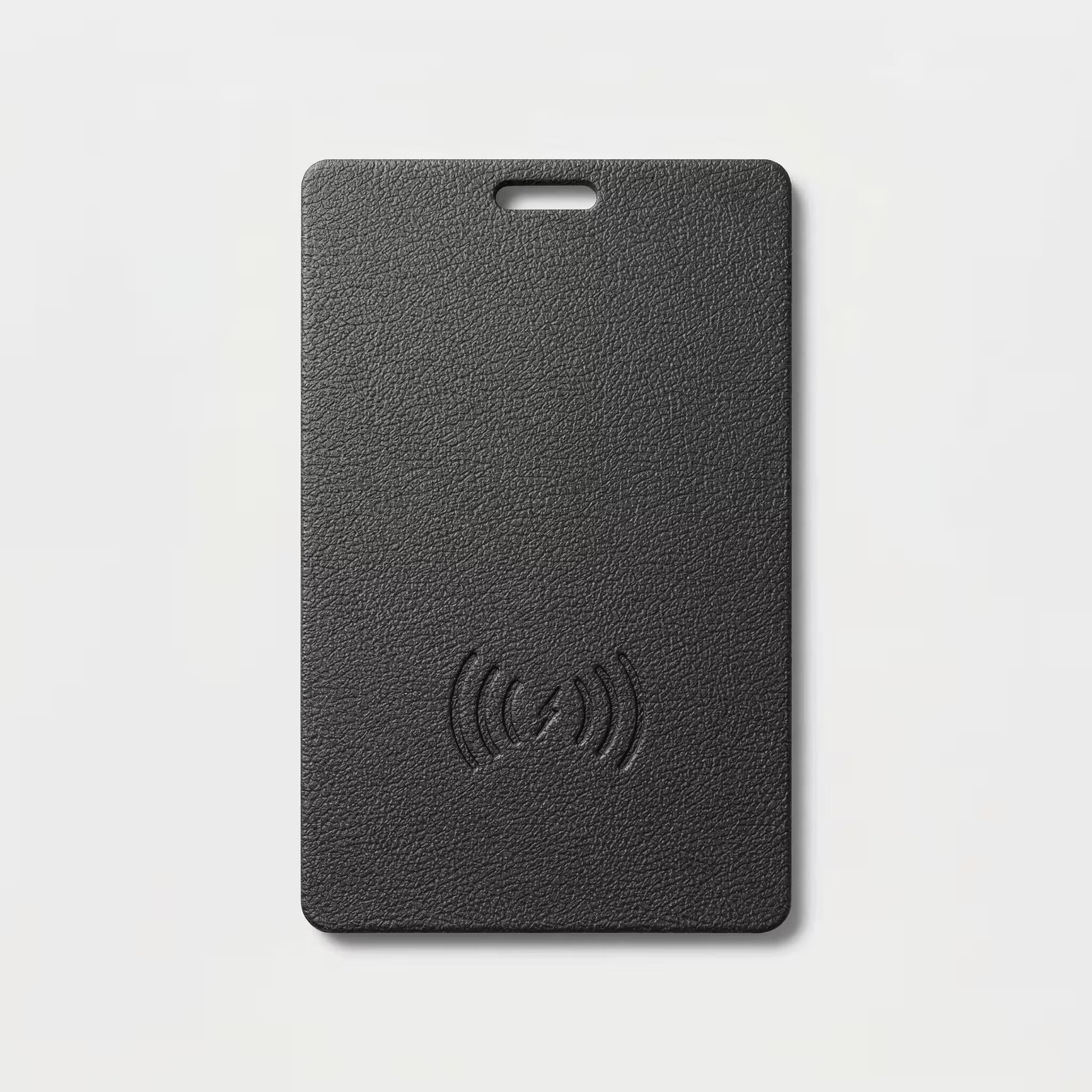


LCKD Tracking Card
Tracking Card
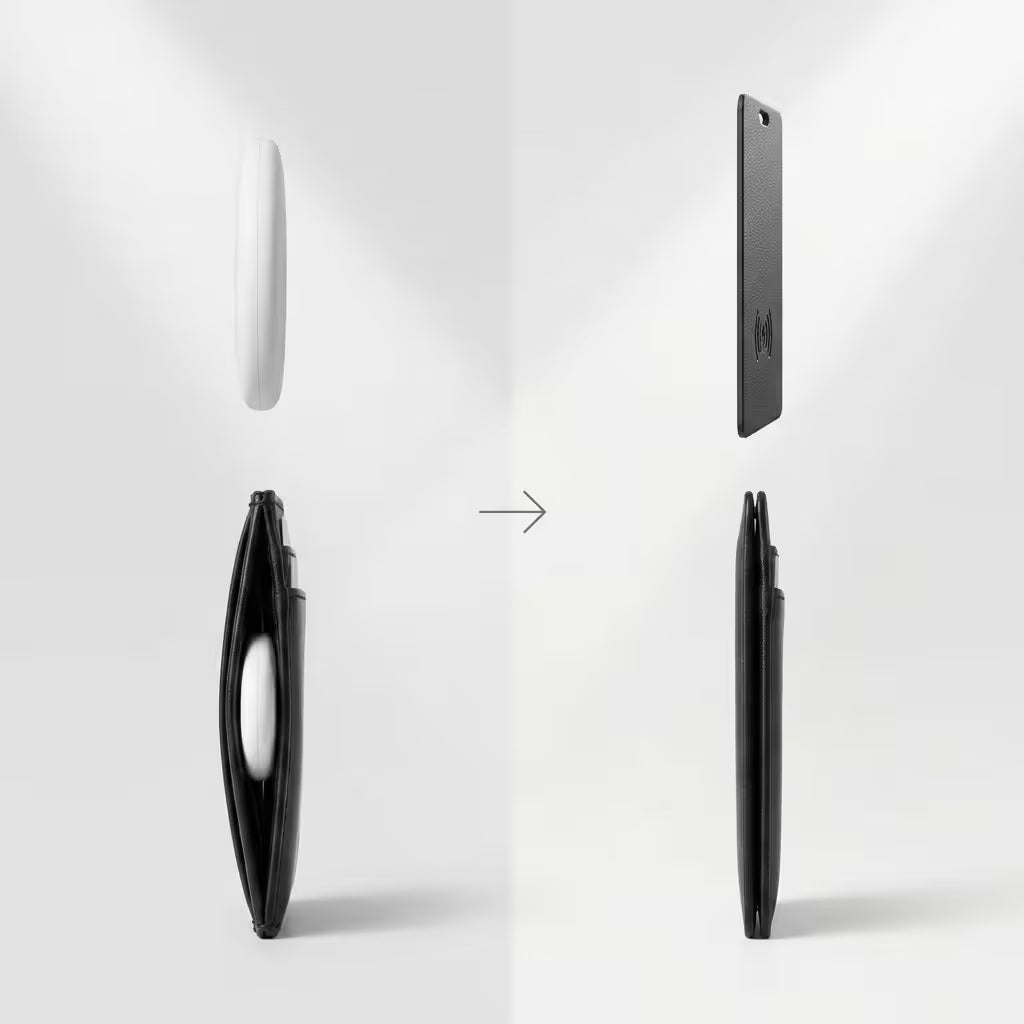
A tracking card thinner than two credit cards stacked together. Slide it into any card slot in your LockdTech Wallet — or any wallet — and forget about it until the day you need it.
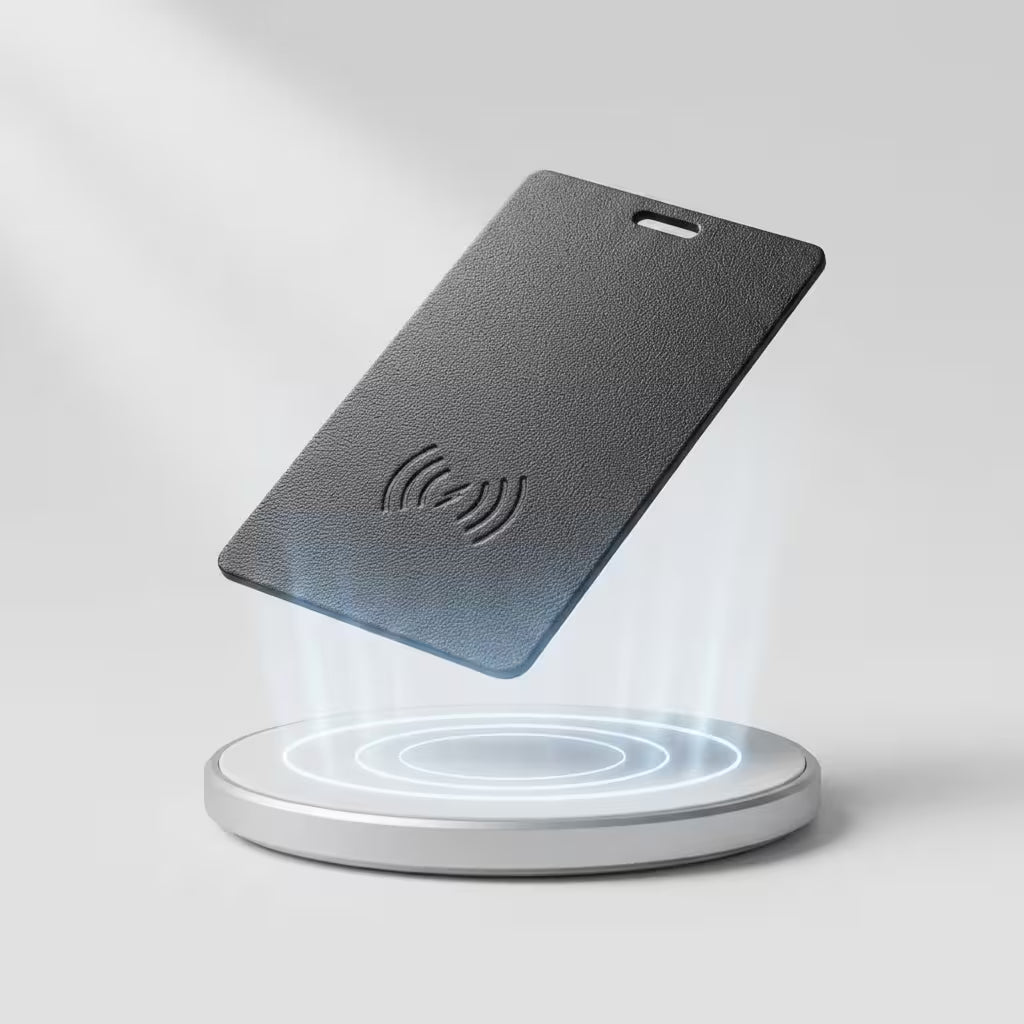
When that day comes, open Apple Find My on your phone and locate your wallet on a map. Close enough to hear it? Trigger the built-in ringer. The rechargeable battery lasts 6–8 months on a single charge, and tops up via USB-C or wireless charging.
At 1.8mm, it takes up a card slot, not your wallet's entire profile. Water-resistant build means it handles rain, spills, and the occasional laundry accident without skipping a beat.
| Spec | Detail |
|---|---|
| Thickness | 1.8mm (~2 credit cards) |
| Tracking network | Apple Find My |
| Battery life | 6–8 months per charge |
| Charging | USB-C or wireless |
| Audio | Built-in ringer |
| Water resistance | Water-resistant |
| Fits | Any standard card slot |
| Pairs with | LockdTech Wallet, Retractable Keychain Clip |
Pair your card to Apple Find My in under 45 seconds — no app to install.
- Open the Find My app on your iPhone.
- Tap Items, then Add Item.
- Choose Other Supported Item.
- Hold your LCKD Tracking Card near your iPhone — the pairing prompt appears.
- Confirm with your Apple ID.
- Name your card and tap Done.
That's it. The card now shows up in Find My alongside your AirTags and Apple devices.
The LCKD Tracking Card joins the same Find My network that powers Apple's AirTag — over 2.3 billion Apple devices anonymously help find your card when it's out of Bluetooth range.
- iPhone 6s or later running iOS 14.5+
- iPad with iPadOS 14.5+
- Mac with macOS Big Sur or later
- Apple Watch (paired iPhone view)
Android support is on the roadmap.
Your location stays yours.
- End-to-end encrypted by Apple — even Apple can't see your card's location.
- LCKD never collects, stores, or sells location data.
- No location history saved — only the most recent location.
- Anti-stalking alerts built in: an iPhone or Android phone gets a notification if an unknown card has been traveling with them.
Shipping:
We offer free standard shipping on all orders above $59.99.
Risk-free:
60-day risk-free trial — full refund, no questions asked, free return shipping
Warranty:
1-year warranty against manufacturing defects
Learn more about our Shipping Policy and Return Policy
Top benefits of the LCKD Tracking Card
Engineered to disappear into your wallet — and reappear the second you need it.
Fits anywhere
1.8 mm (0.07 in) thin and the size of a credit card. Slips into wallets, passports, laptop sleeves, and luggage tags without ever printing through.
8-month battery
Rechargeable, not replaceable. Drop it on any Qi pad — the same one your iPhone already uses — and you're back to eight months in under two hours.
Track on map
2.3 billion Apple devices help find your card. Open Find My, tap the card, and watch it pin on a live map — even if it's three cities away.

APPLE FIND MY NETWORK
2.3 billion Apple devices help find your stuff
Lost it on a flight, in a cab, or three cities ago? The Find My network anonymously and securely relays your card's last known location back to you — even when it's nowhere near your phone.
Track easily with Apple Find My. Nothing else to install. One-time purchase. No monthly fees.
Set it up in under 45 seconds
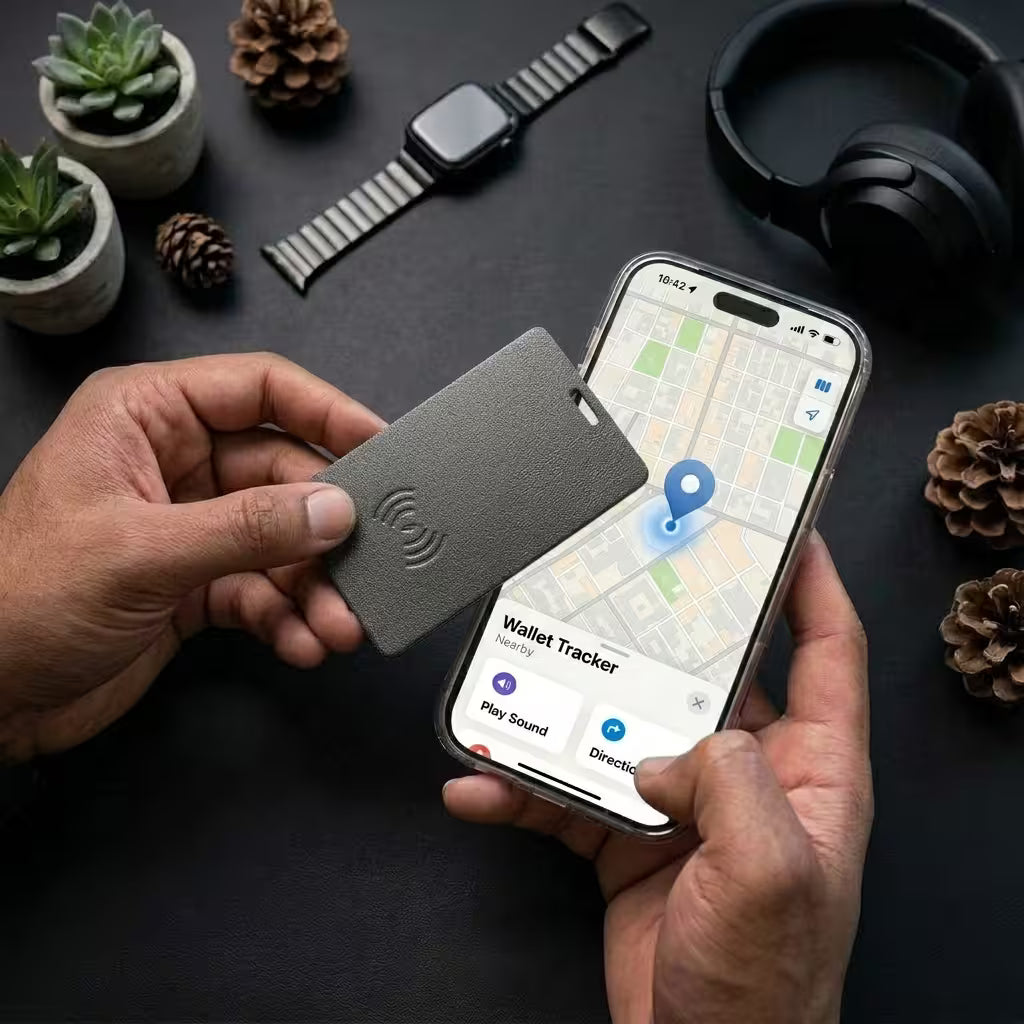
1. Tap card to your iPhone
Hold the card near your unlocked iPhone. Find My opens automatically and prompts you to pair.

2. Slip it into your wallet
It's the size of a credit card. Goes in any wallet, passport, or laptop sleeve.
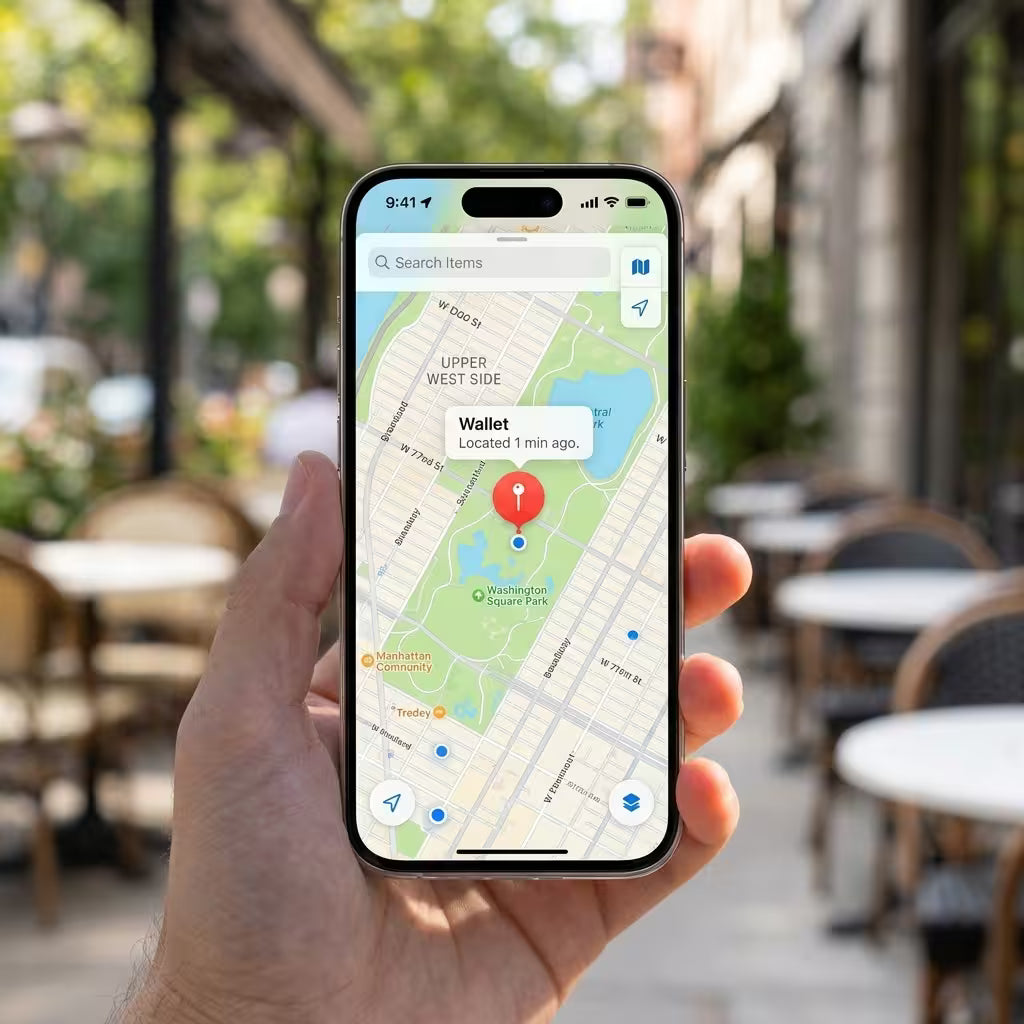
3. Locate from anywhere
Open Find My on any Apple device to see the card on a map. Tap "Play sound" if it's nearby.
How LCKD stacks up
| LCKD Tracking Card | Apple AirTag | Tile | |
|---|---|---|---|
| Form factor |
Credit-card thin (1.8 mm / 0.07 in) |
Disc (8 mm / 0.31 in) |
Disc (6.2 mm / 0.24 in) |
| Apple Find My network | |||
| Battery |
Rechargeable, 8 months |
Replaceable CR2032, 1 year |
Replaceable, 1 year |
| Wireless charging | |||
| Waterproof rating |
IP67 |
IP67 |
IP67 |
| Subscription required |
Premium tier |
STEP-BY-STEP
How to set up
Pair your LCKD Tracking Card to Apple Find My in under a minute. Drop in iPhone screenshots for each step via the theme editor.
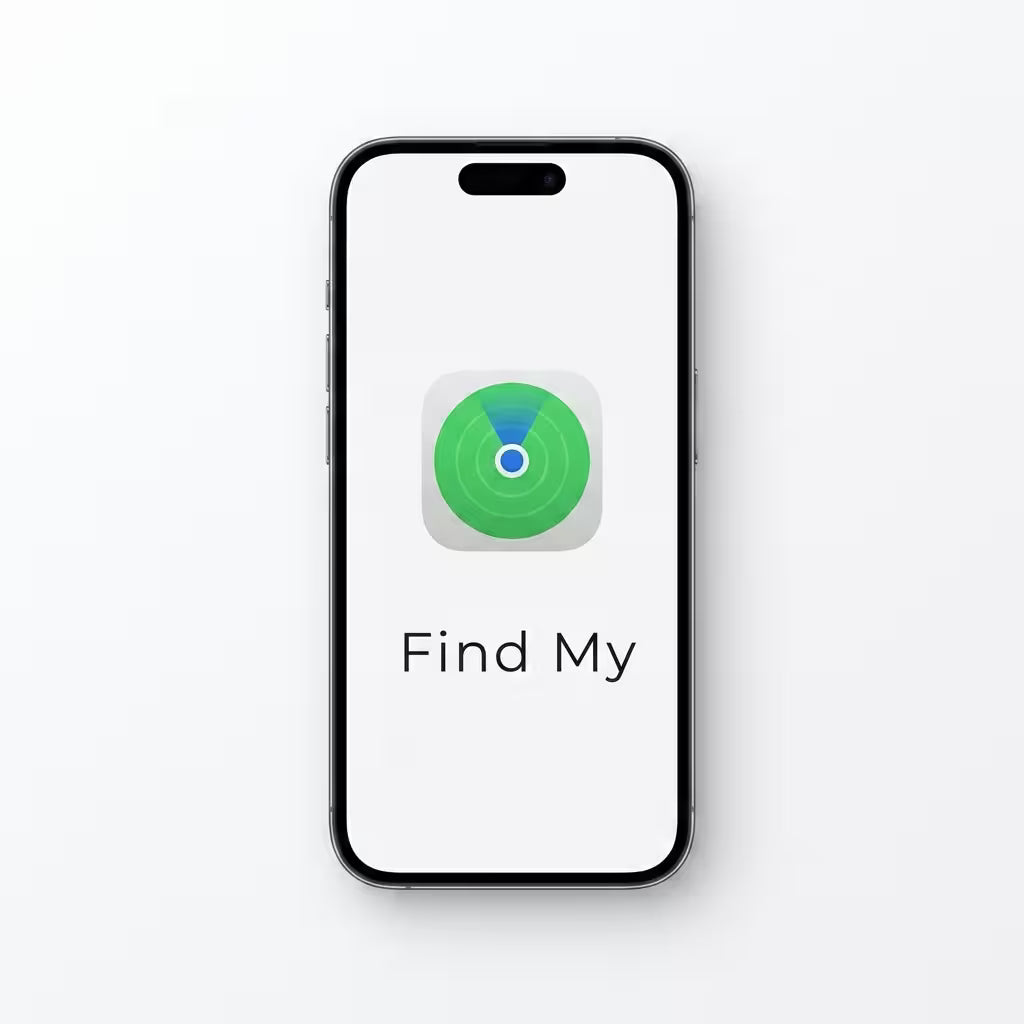
1. Open Find My
Launch the Find My app on your iPhone — it's already installed on every iOS 14.5+ device.
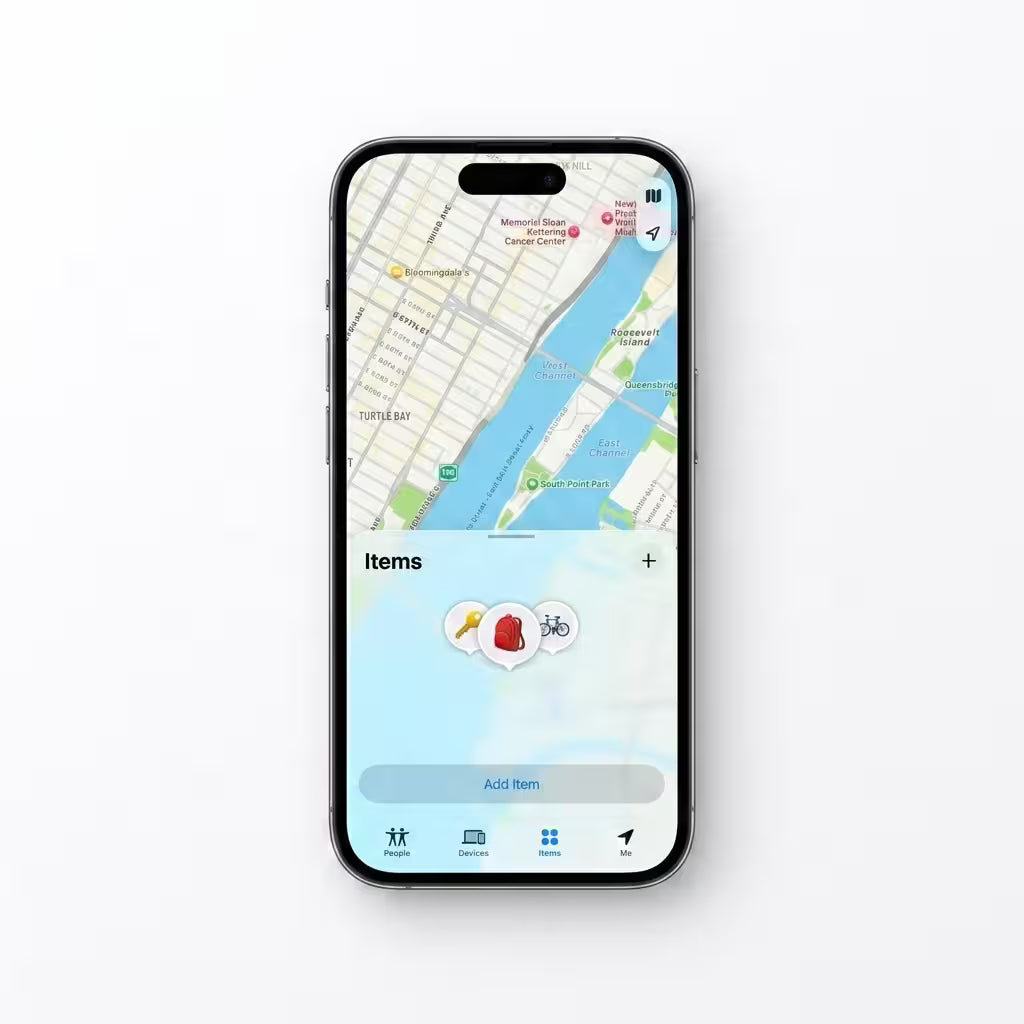
2. Add Item
Tap the Items tab at the bottom, then tap Add Item.
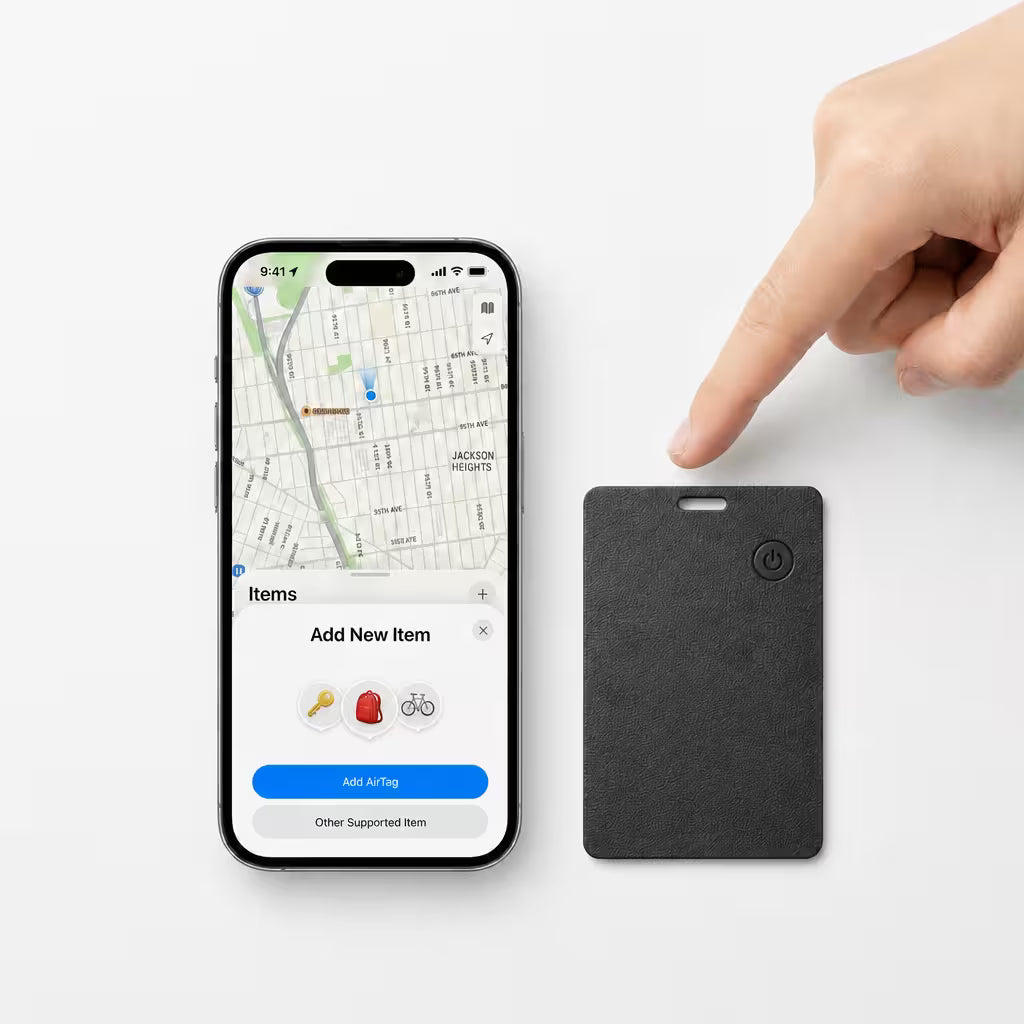
3. Tap your card
Hold the LCKD card flat against your iPhone. Find My pings it and the pairing prompt appears within seconds.
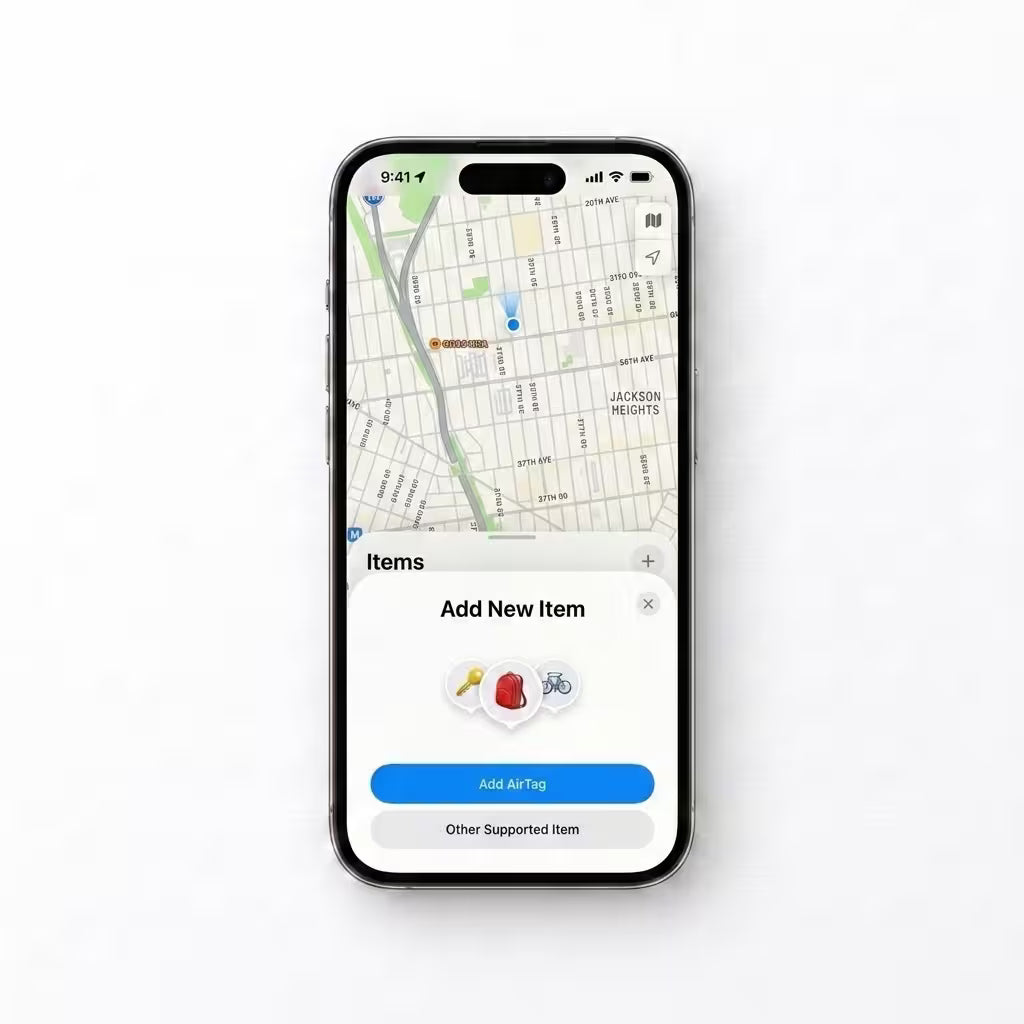
4. Other Supported Item
Choose Other Supported Item from the list — that's how Find My recognizes the LCKD card.
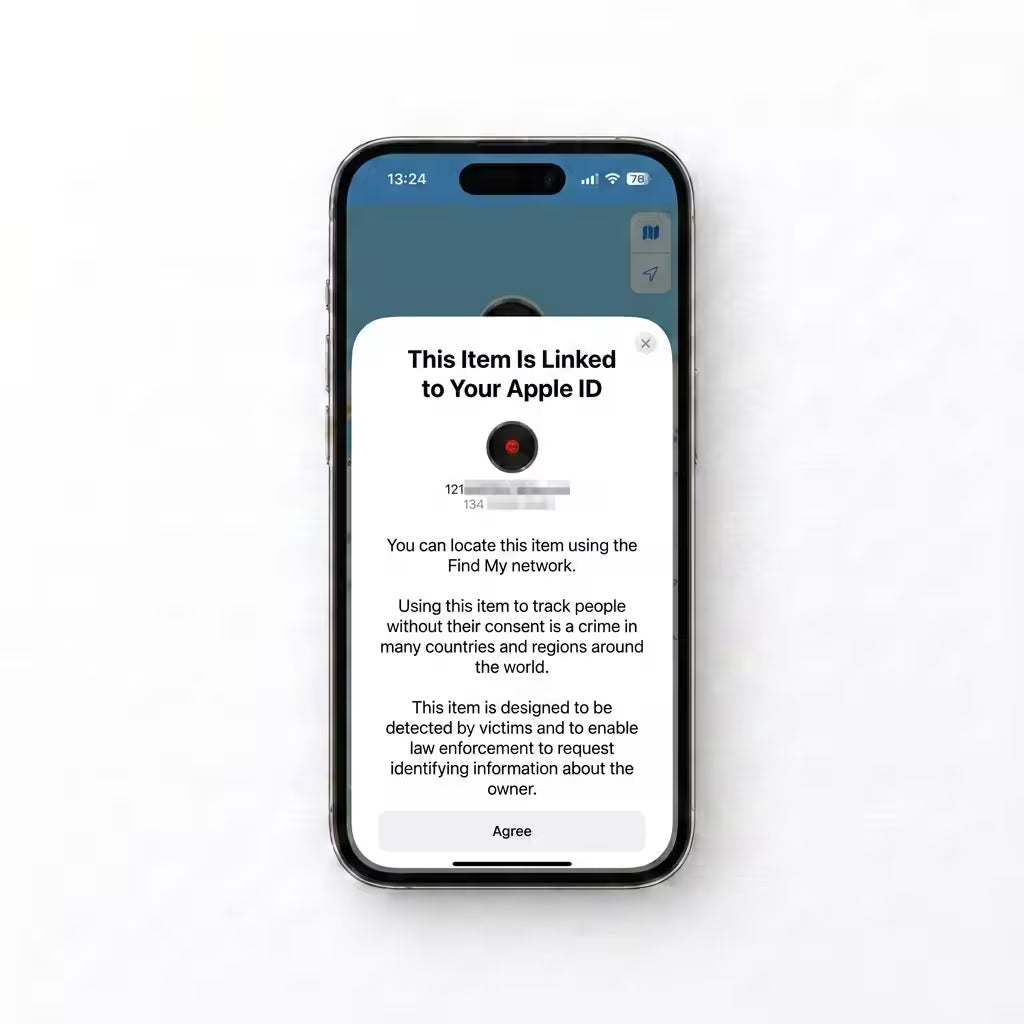
5. Confirm Apple ID
Confirm with the Apple ID you're signed into. The card is now linked to your account, end-to-end encrypted.
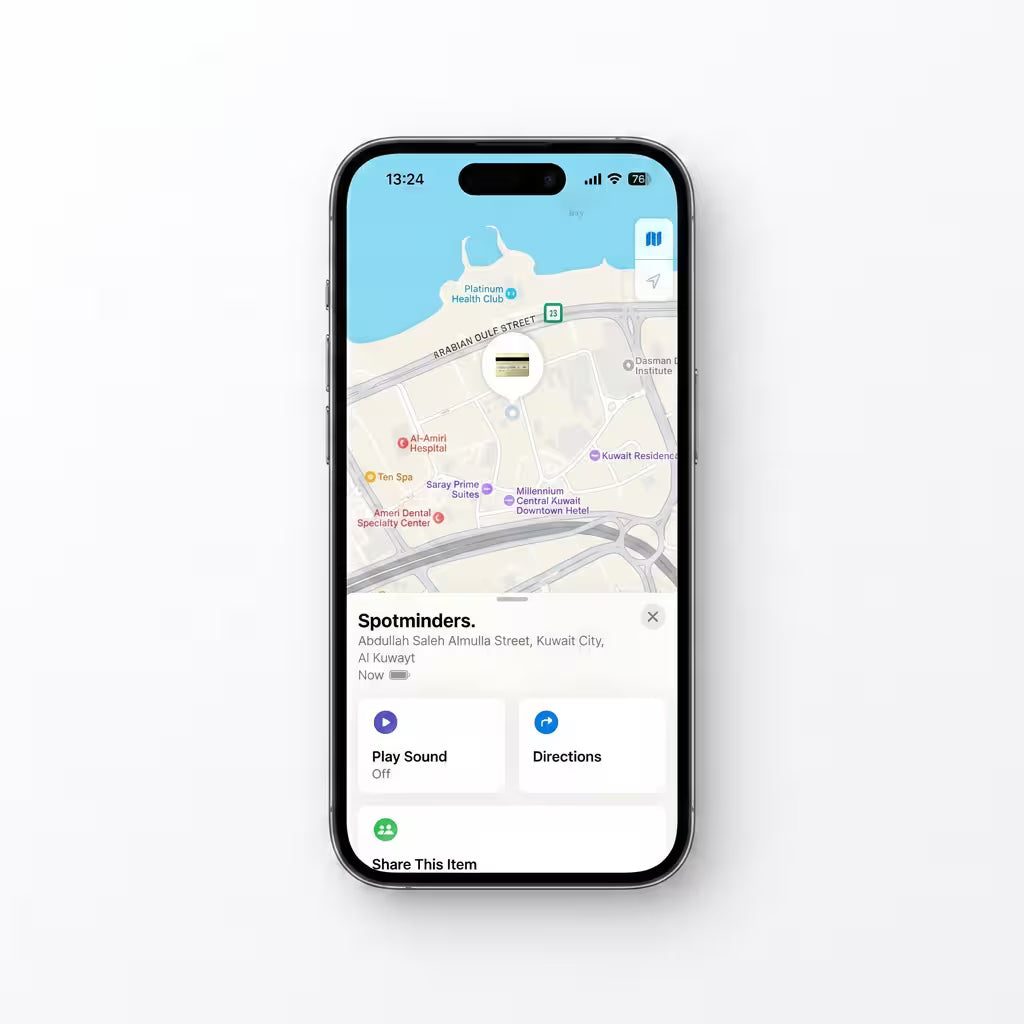
6. Done
Name the card ("Wallet", "Passport", "Laptop bag"), pick an emoji, and tap Done. Slip it in and start tracking.
Customers are saying
Frequently asked questions
How does the LCKD Tracking Card work?
The card uses Bluetooth LE to connect to your iPhone and the Apple Find My network. When you're within Bluetooth range, you can locate it directly. Out of range? Any nearby Apple device anonymously updates its location for you — all end-to-end encrypted.
Do I need an iPhone?
Yes. The LCKD Tracking Card uses Apple's Find My network, which requires iOS 14.5 or later. Android support is on the roadmap but not currently available.
Is there a subscription?
No. The LCKD Tracking Card is a one-time purchase. No monthly fees, no premium tiers, no hidden costs.
How long does the battery last and how do I charge it?
About 8 months per full charge under typical use. Recharge with any Qi wireless charging pad (the same kind you'd use for a modern iPhone). A full charge takes around 2 hours.
Is my location tracked or sold?
No. Apple's Find My network is end-to-end encrypted — even Apple can't see your card's location. LCKD never collects, stores, or sells your location data. Your privacy is the default, not the upsell.
What if I lose the card outside Bluetooth range?
That's exactly when Find My shines. Any iPhone, iPad, or Mac that passes within Bluetooth range of your card will anonymously relay its location back to you — without alerting the device's owner. Coverage scales with the 2.3 billion Apple devices already in circulation.
Is it waterproof?
Yes — IP67 rated. That means it survives splashes, rain, sweat, and brief immersion in up to 1 meter (3.3 ft) of water for 30 minutes. Don't take it swimming, but a trip through the washing machine is recoverable.
Product Reviews